
Only Owners and Admins can connect integrations. See Team and roles.
Connect Slack
1
Link workspace
Go to Integrations, find Slack, and click Connect. Sign in to Slack and approve access for your workspace.
2
Configure channels
Back in Orato, click Configure Feeds on the Slack card to open Slack Workspace Configuration. Choose a Default notification channel. All enabled notifications are posted there.
3
Choose notifications
Turn on the events you want under Notification preferences, then click Save preferences. Changes take effect immediately.
Notification preferences
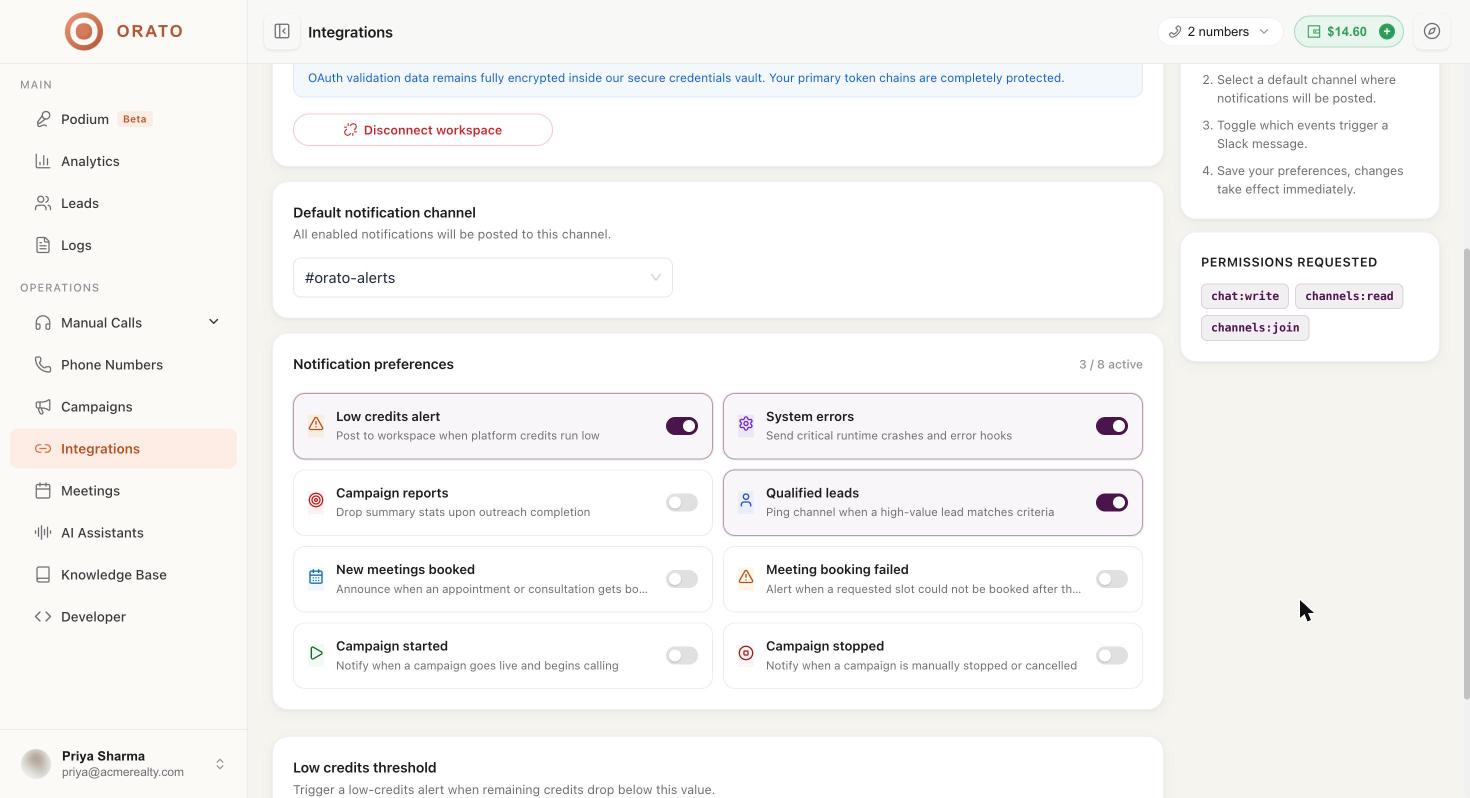
Low credits threshold
Set the USD remaining at which the low-credits alert fires, for example10. Pick a value that gives you time to top up before campaigns stop.
Click Discard changes to undo edits you haven’t saved.
Permissions
Orato requests only these Slack permissions:
OAuth tokens are encrypted and stored in a secure credentials vault.