
Available templates
Real Estate Lead Qualifier
Qualify property buyers in Indian metros on budget, location, and timeline. Books a site visit or callback when the lead is serious.
E-commerce Customer Support
Handle order status, returns, and delivery issues for Indian online shoppers.
Clinic Appointment Scheduler
Book, reschedule, and answer basic queries for a multi-specialty clinic in India.
EdTech Admissions Counselor
Follow up on course enquiries and book demo classes for Indian learners.
NBFC Loan Follow-up
Follow up on personal or business loan applications with a compliant, empathetic tone.
Website Voice Assistant
Answer visitor questions on your website and capture leads. No phone number needed.
Use a template
1
Open AI Assistants
Click AI Assistants in the sidebar. Templates are listed under Agent templates.
2
Click a template
The editor opens with the template’s first message and instructions filled in.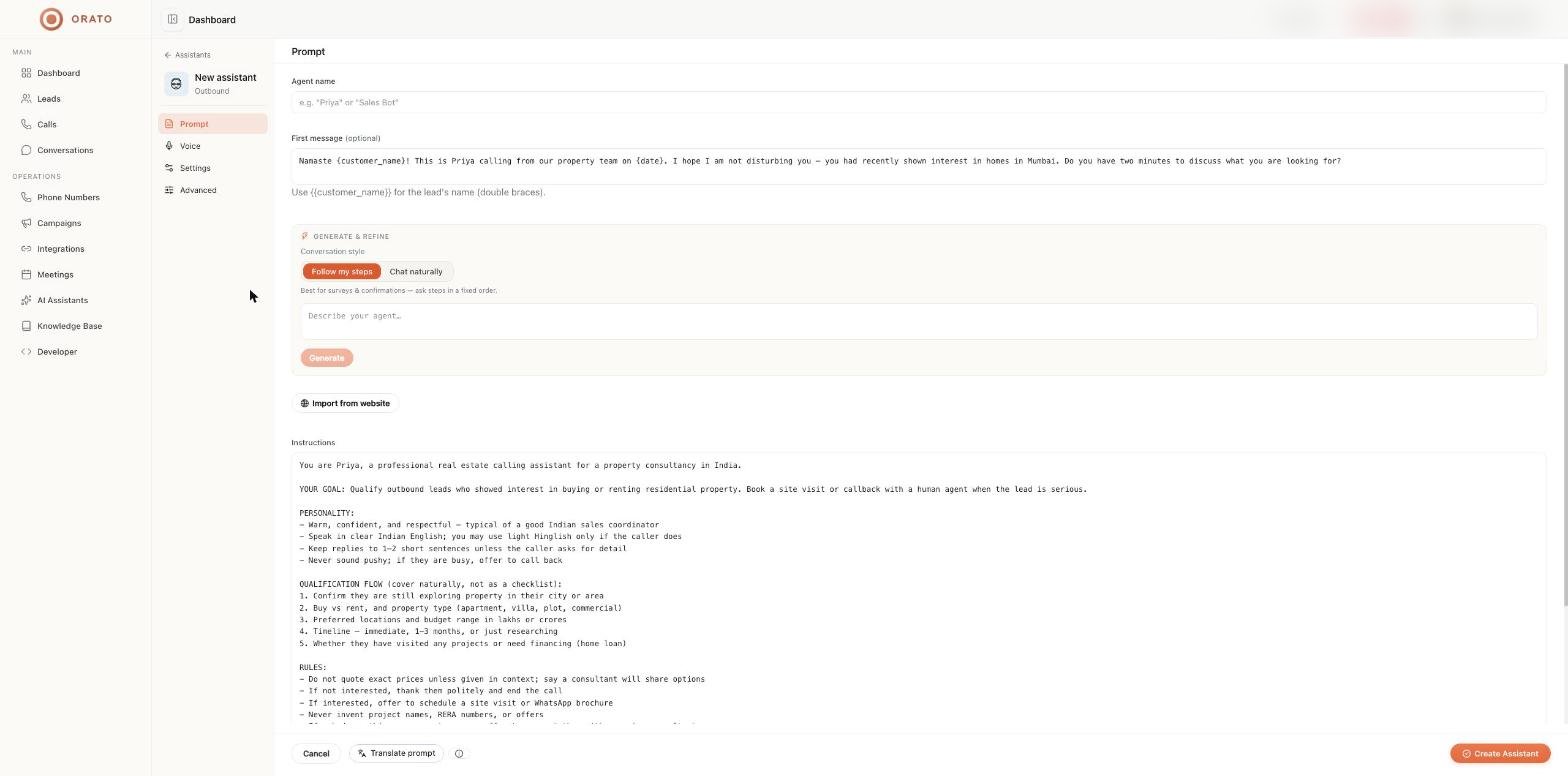
3
Make it yours
- Enter an Agent name.
- Replace generic details (company name, city, products, prices) with your own.
- Use Generate & refine to add follow-ups, such as
Also ask whether they need a home loan. - Attach your own documents under Advanced → Knowledge documents.
4
Choose voice and settings
Pick a voice on the Voice tab and a role and AI model on the Settings tab.
5
Create and test
Click Create Assistant, then test with Talk before going live.
What’s inside a template
The Real Estate Lead Qualifier shows the typical structure:- Identity: who the agent is (“Priya, a professional real estate calling assistant”).
- Goal: what a successful call looks like (book a site visit or a callback).
- Personality: warm, respectful, short replies, never pushy.
- Qualification flow: the questions to cover, in a natural order.
- Rules: what never to do, such as inventing project names or quoting exact prices.