
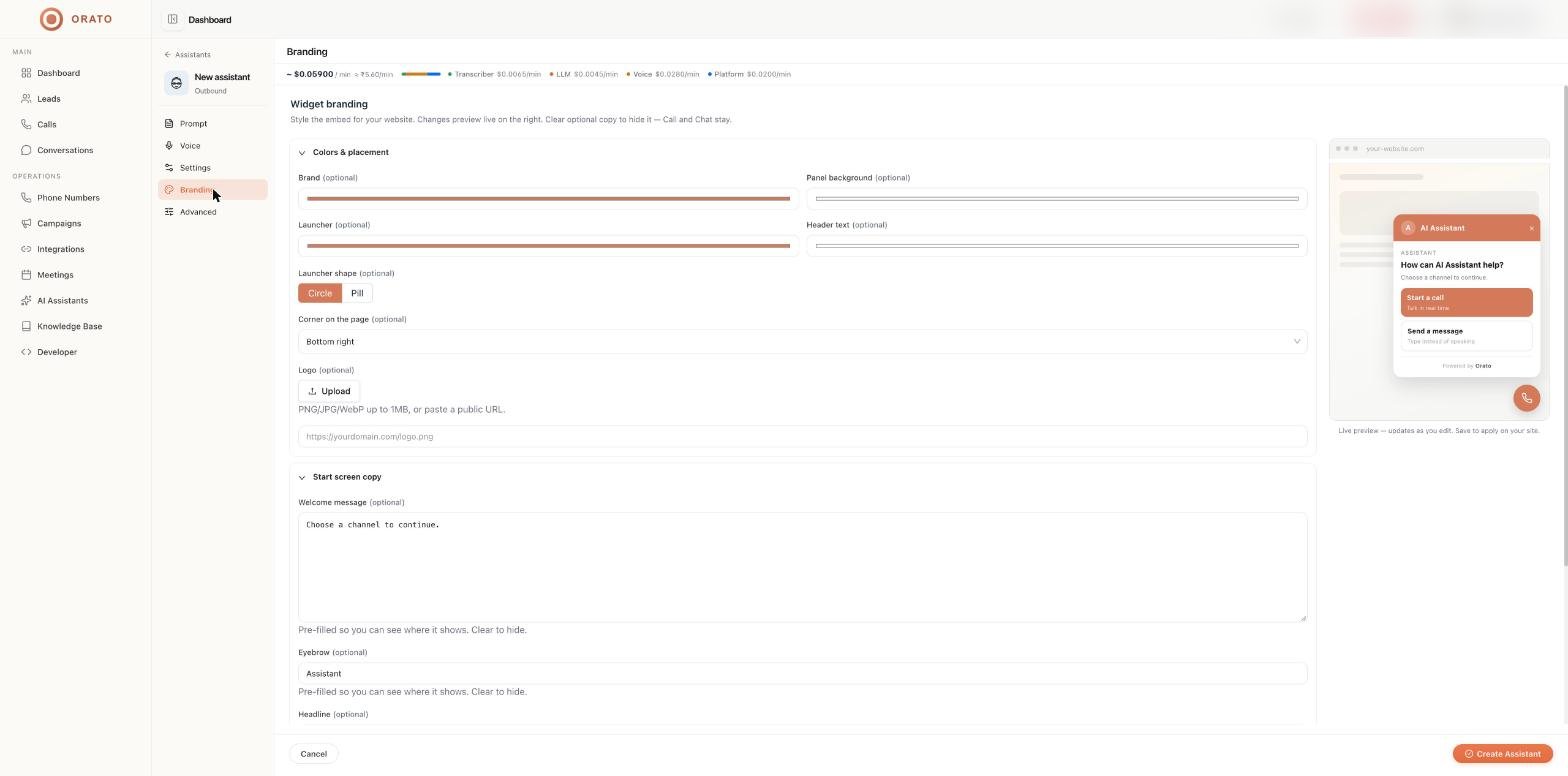
The Branding tab appears when an assistant’s role is Web Widget. It controls how the widget looks on your website. A live preview on the right updates as you edit; click Create Assistant (or save) to apply changes to your site.
Branding tab with live widget preview
The widget lets visitors choose between Start a call (talk in real time) and Send a message (type instead of speaking). Both channels stay available whatever copy you change.

Colors and placement

Start screen copy

Text shown when a visitor opens the widget. Fields are pre-filled so you can see where they appear. Clear any field to hide it. Save the assistant to get its install snippet, then follow Widget integration.

Next steps

Widget integration

Install the widget on your site.

Website voice assistant tutorial

End-to-end walkthrough.