
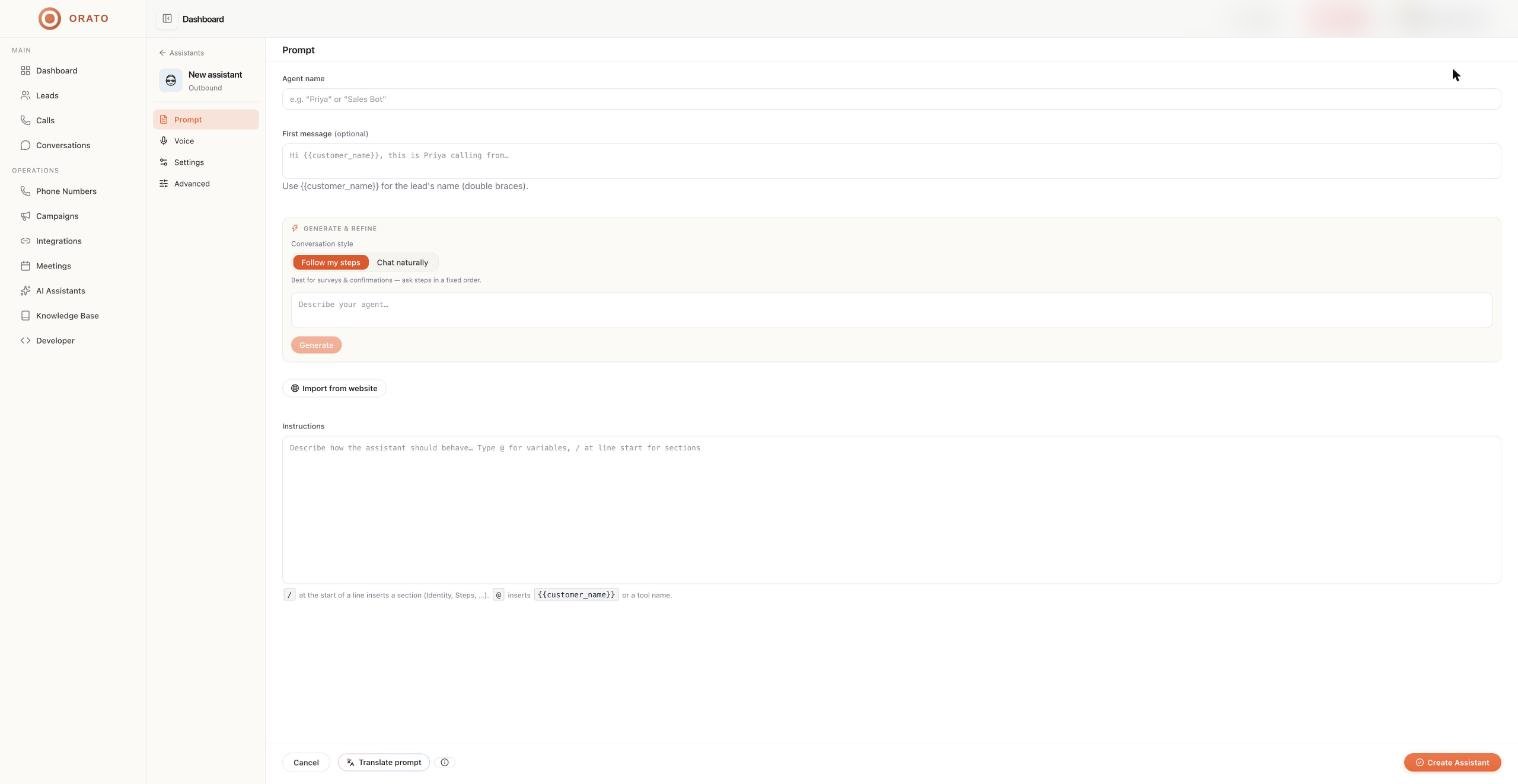
Agent name
The name your assistant uses, for examplePriya or Sales Bot. Callers may hear it, so pick something that fits your brand.
First message
What the assistant says when the conversation starts. It’s optional: leave it blank and the assistant opens based on its instructions. Use{{customer_name}} (double braces) to insert the lead’s name:
The first message is spoken only if the agent speaks first. You can change this under Who speaks first? on the Settings tab.
Generate & refine
Let Orato write the instructions for you.1
Choose a conversation style
2
Describe your agent
Write a short description in the box, for example:
3
Click Generate
Orato writes structured instructions into the Instructions field.
4
Refine
Once a prompt exists, the box changes to Add follow-ups or refinements. Type a change, such as
Ask for their email before ending the call, and click Update. Click View full prompt to see the complete result.Import from website
Click Import from website and enter your site URL. Orato imports the pages into your knowledge base, then lets you confirm the business facts to use in the prompt. This is the fastest way to give a new assistant accurate details about your company.Instructions
The main prompt. Write it yourself, generate it, or start from a template. Two shortcuts make writing faster: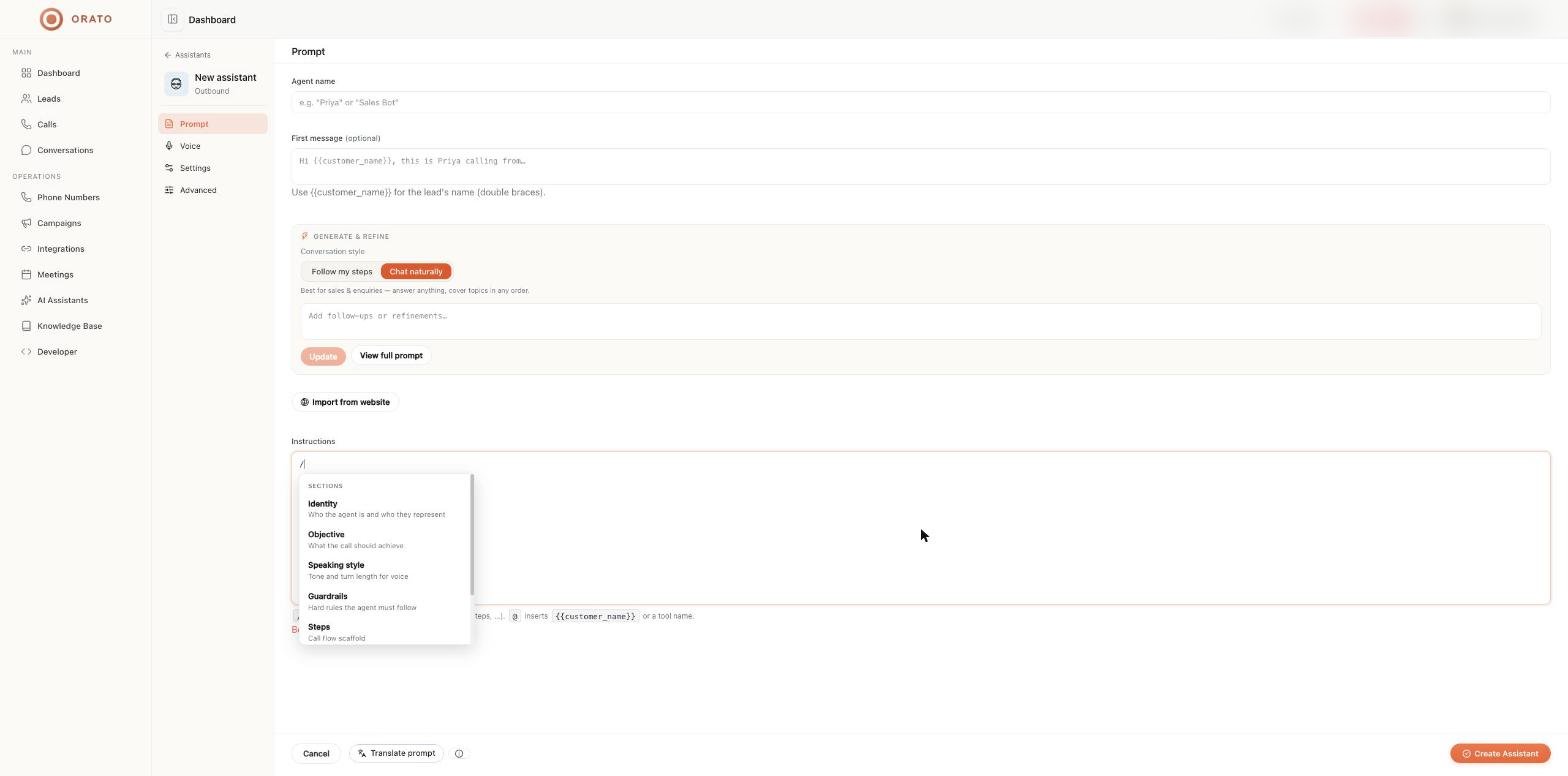
Sections
See the Prompting guide for what to put in each section.
Translate prompt
Click Translate prompt at the bottom of the editor to translate your instructions into the language your callers use. Voice and speech recognition work best when the instructions match the call language.- Hindi output uses Devanagari script with natural spoken phrasing. Common call terms stay familiar, either transliterated (for example प्रोफाइल, कैलेंडर) or in English where people say them that way.
- Regional languages follow the same approach: native script, spoken tone, and loanwords only where callers actually use them.
- Placeholders such as
{customer_name},{date}, and{time}are never translated. - Your section structure (headings, numbered rules, examples) is kept exactly.
Next steps
Voice and language
Choose how your assistant sounds.
Prompting guide
Write instructions that work on real calls.