Transcriber
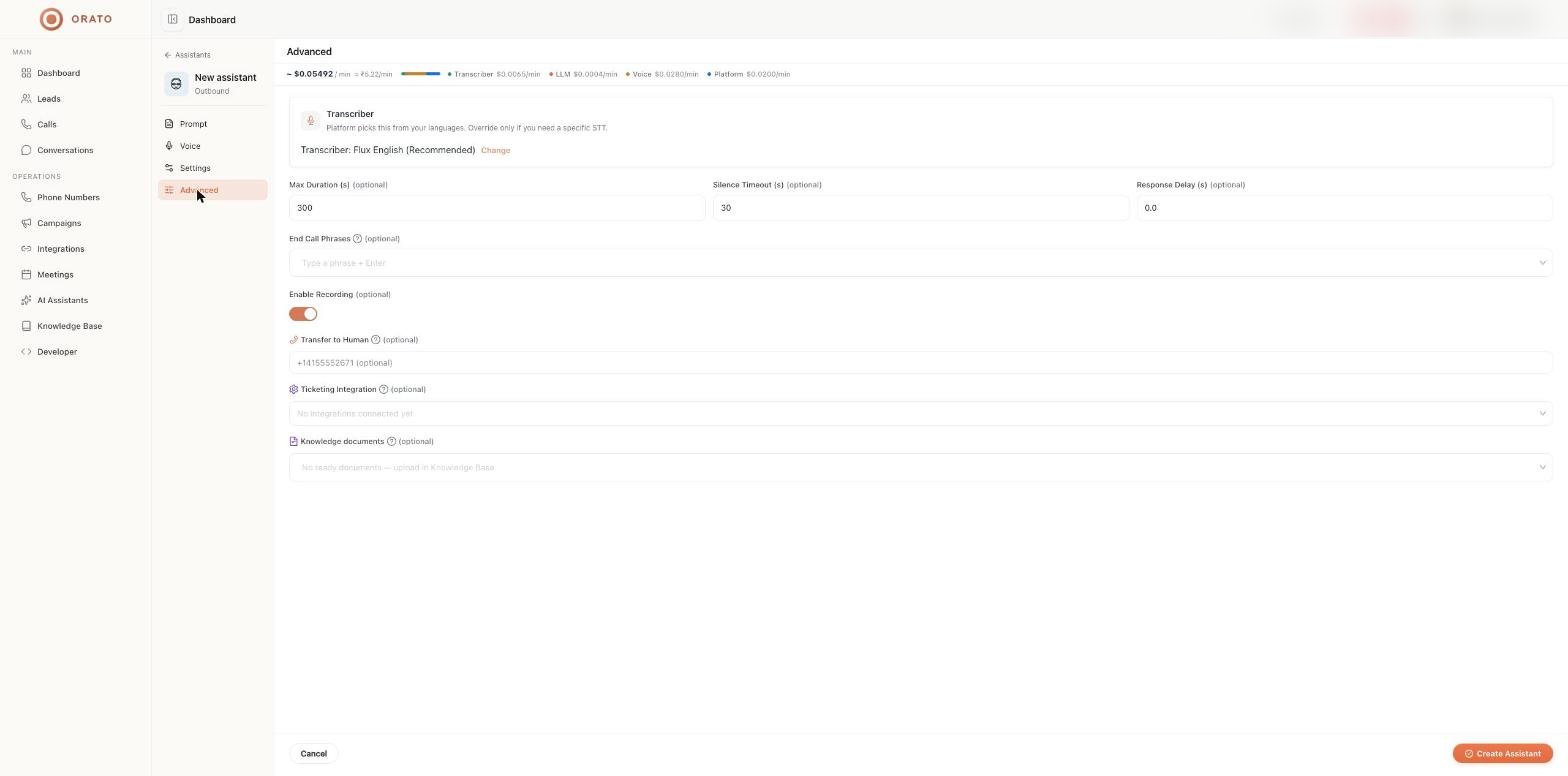
Orato picks the speech-to-text model automatically from your languages. The default for English is Flux English (Recommended). Override it only if you need a specific model. Click Change, then choose:
Click Reset to recommended to go back to automatic selection.
Call limits
Raise Max Duration for support or consultation calls that run longer than five minutes. Keep it lower for quick qualification calls to control cost.
End call phrases
The assistant hangs up if the caller says one of these phrases. Type a phrase and press Enter to add it, for examplebye, not interested, or don't call me again.
Enable recording
On by default. Turn it off if you don’t want calls recorded.Transfer to Human
Enter a phone number in E.164 format, such as+14155552671. When the caller asks for a human, the assistant bridges the call to this number.
Add a line to your instructions so the hand-off sounds natural:
Ticketing integration
When a caller reports an issue, the assistant raises a ticket in the tool you select here, such as Zoho Desk or Zendesk. Connect the tool on the Integrations page first; until then the field shows No integrations connected yet.Knowledge documents
Choose documents from your knowledge base for this assistant to search during calls and widget chats. Only documents with a ready status appear. Upload files or import websites under Knowledge Base first.Next steps
Knowledge base
Upload the documents your assistant needs.
Integrations
Connect ticketing and other tools.