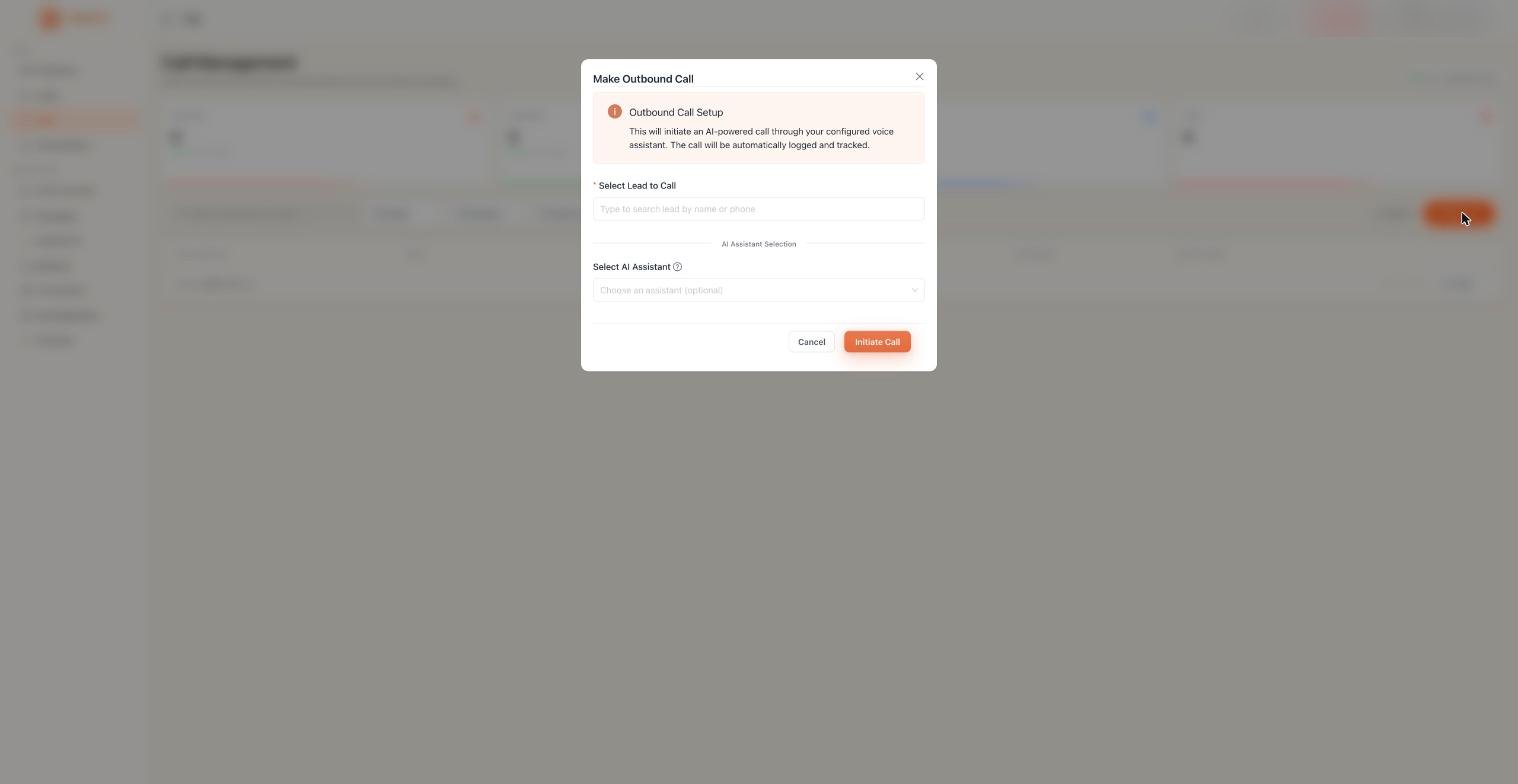
What is the Outbound?

Outbound calls are calls your AI Assistant makes to contacts. You can trigger a single call from the dashboard, run a campaign to call a whole lead batch at once, or integrate directly with the API to trigger calls from your own application.
Outbound

Three ways to make an outbound call

Use this when you want to call one specific person right now.
1

Go to Calls

Click Calls in the left sidebar.
2

Click Make Call

Click the orange Make Call button in the top right corner of the page.
3

Enter the number and select an assistant.

Enter the recipient’s phone number in international format and choose which AI Assistant should handle the call.
4

Confirm

Click to confirm. Your assistant dials the number immediately.

What you see in the call list

Every outbound call shows up in the Calls page with these details:
ColumnDescription
Call DetailsWhether it was outbound or inbound, and the phone number
LeadThe contact associated with this call, with a View Lead link
StatusCOMPLETED, IN PROGRESS, FAILED, or TRANSFERRED
DurationHow long did the call last
OutcomeThe result of the call is tagged by your assistant
Date & TimeWhen the call happened
ActionsOptions to view details, read the transcript, or replay the recording

Filtering the call list

Use the filters at the top of the page to narrow down what you’re looking at:
  • All Status: filter by Completed, Failed, In Progress, or Transferred
  • All Outcome: filter by Qualified, Not Interested, Dead, etc.
  • From Date / To Date: filter by a date range
Toggle Live Updates to automatically refresh the list as new calls come in during an active campaign.

Call statuses

StatusWhat it means
COMPLETEDThe call connected and ran to a natural end
IN PROGRESSThe call is happening right now
FAILEDThe call couldn’t connect
TRANSFERREDYour assistant transferred the call to a human agent

Things to know

Outbound calls require a phone number in your account. If you haven’t bought one yet, go to Phone Numbers and complete the compliance process first.
Only call contacts who have given consent to be contacted. Automated outbound calls are regulated under TCPA in the US and TRAI in India.

Where to go next

Campaigns

Call your entire lead list automatically

Call History

Review transcripts and recordings of past calls

Inbound Calls

Set up your assistant to receive incoming calls

Phone Numbers

Get a number for outbound calling