Overview

The Leads section is where you manage all your contacts. Leads are grouped into Lead Batches - organised lists you assign to Campaigns for automated calling.
Leads 1
You need at least one Lead Batch with contacts before you can create a Campaign.

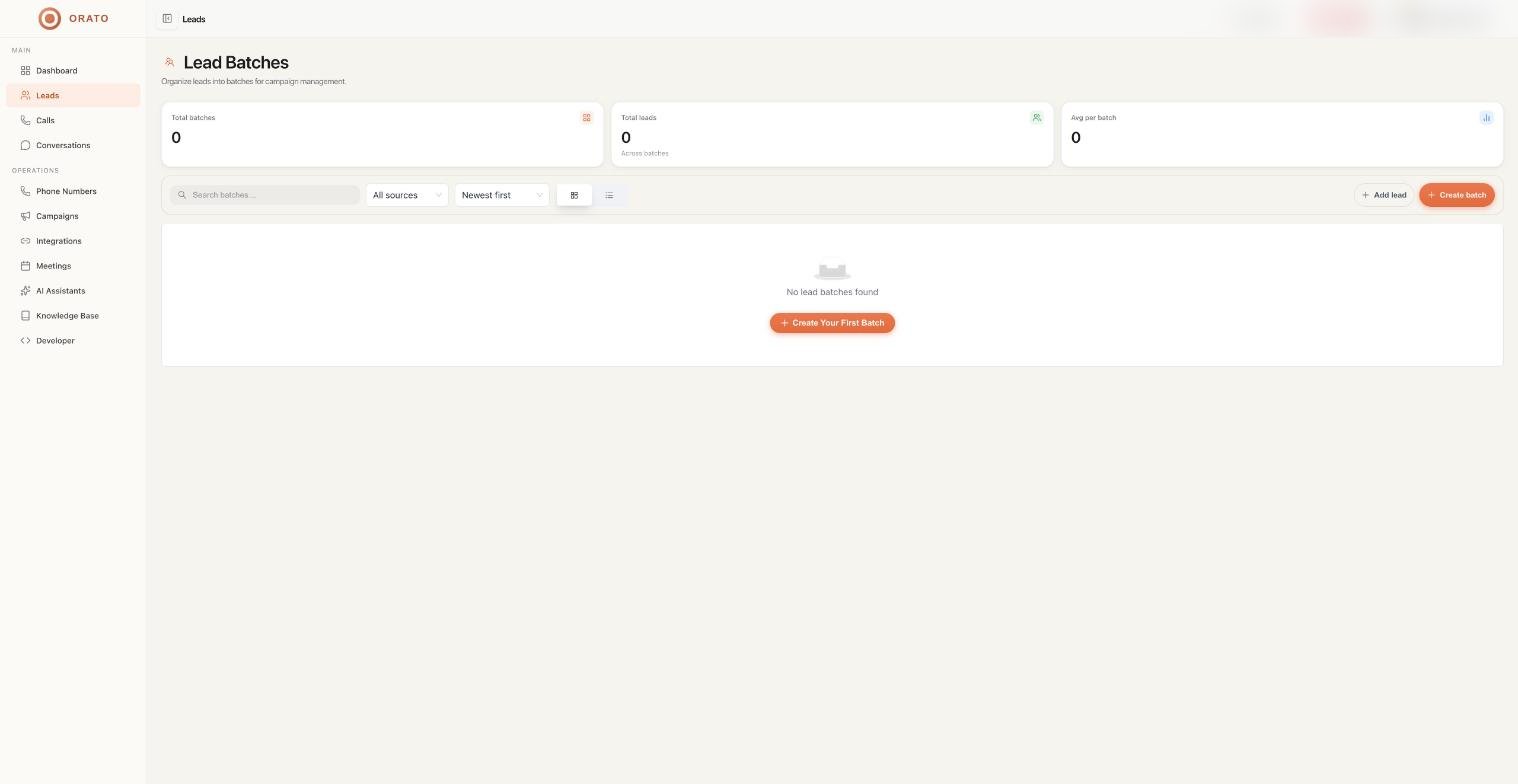
Lead Batches dashboard

Three stats are shown at the top:

Total Batches

Number of lead batches in your account

Total Leads

Combined contacts across all batches

Avg per Batch

Average contacts per batch
Each batch card shows its name, source (Manual or CSV Upload), date created, and total leads with a progress bar.

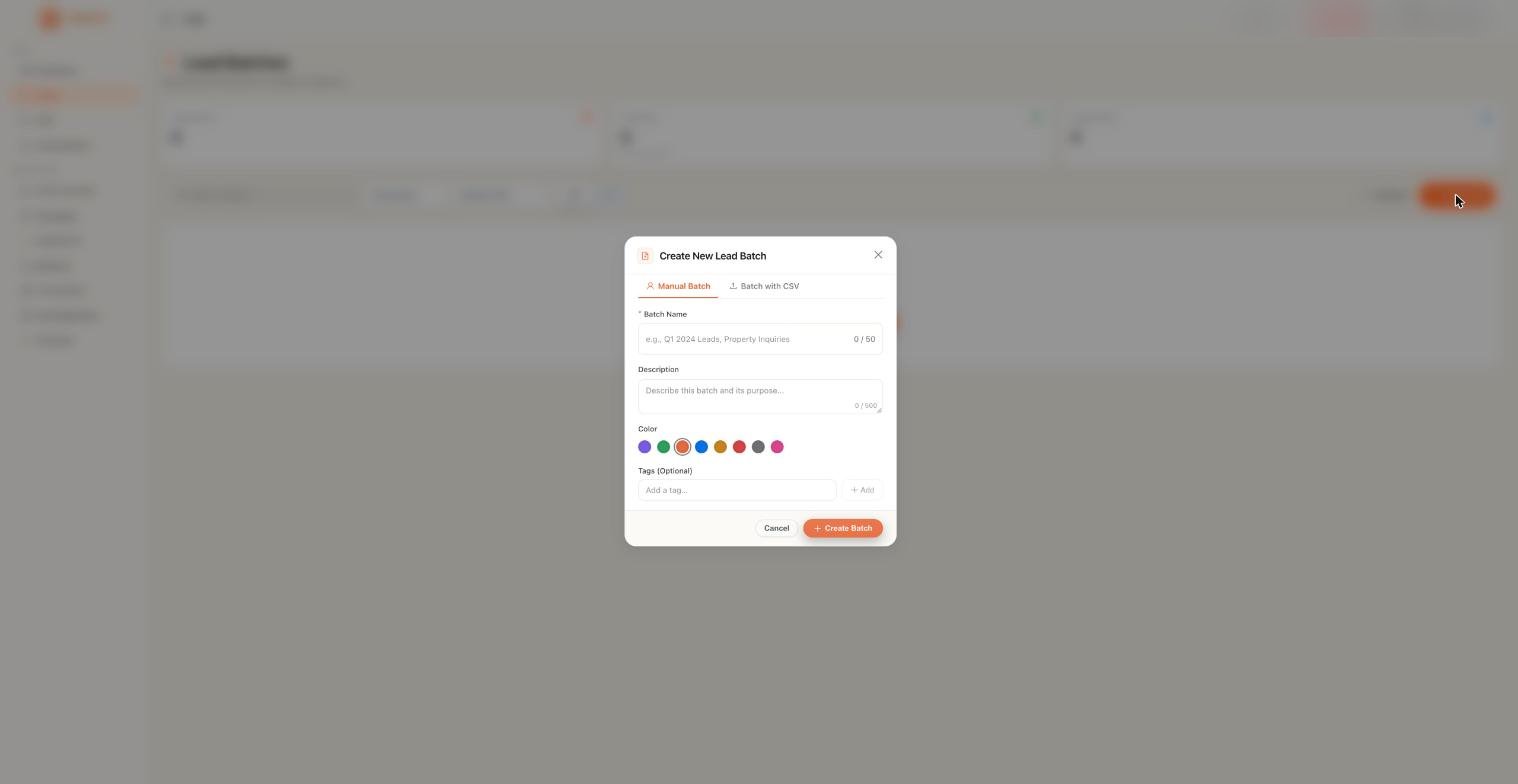
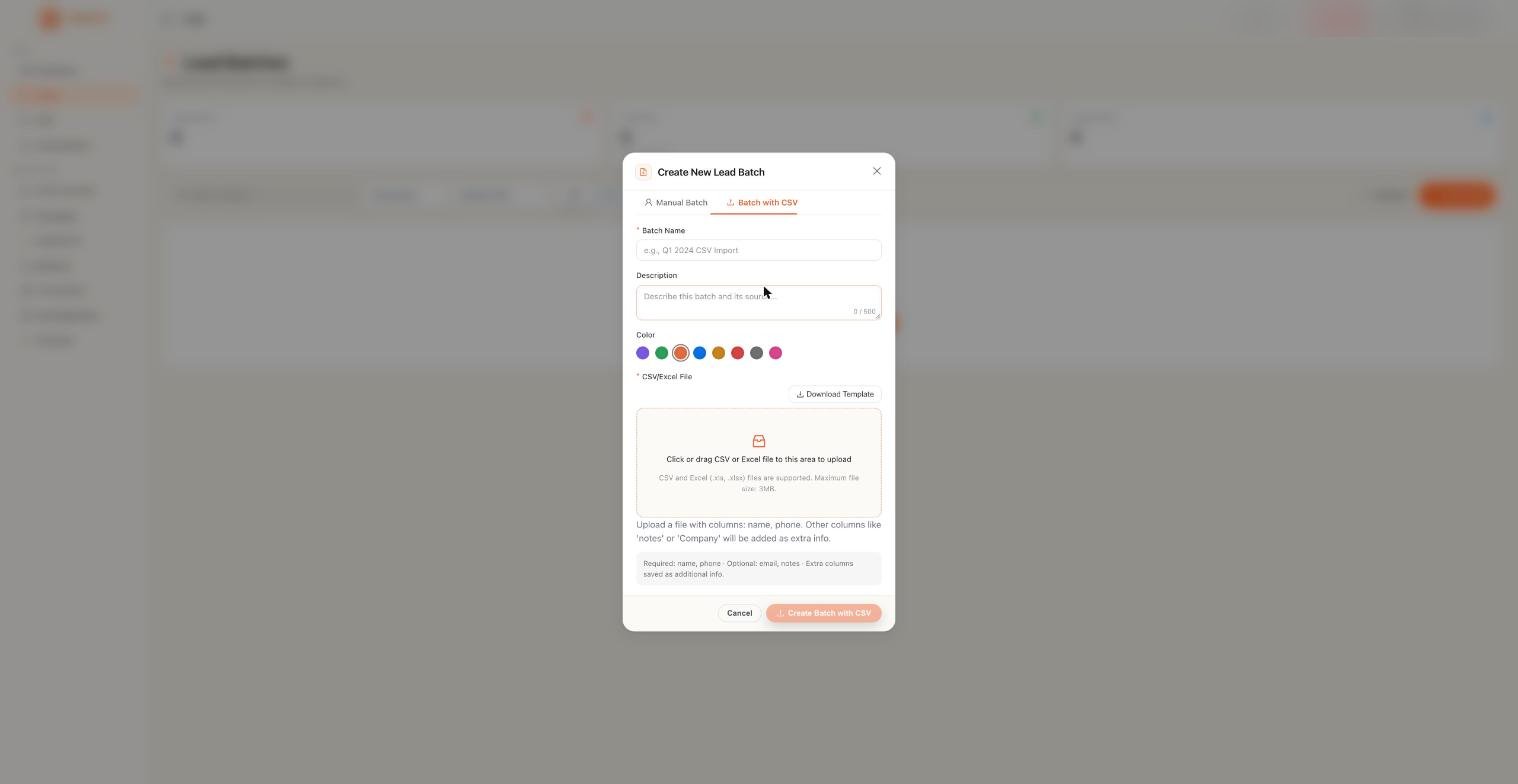
Creating a Lead Batch

1

Click Create Batch

From the Leads page, click + Create Batch in the top right corner.
2

Name your batch

Use a clear, descriptive name - e.g. “May 2026 — Real Estate Inbound” or “Webinar Signups - April”.
3

Add your contacts

Click + Add Lead and enter contact details one by one.Best for small lists or adding individual leads as they come in.

Managing batches

Each batch card has action buttons at the bottom:
ActionWhat it does
👁️ ViewOpen the batch and see all leads inside
✏️ EditRename or update the batch description
⬇️ DownloadExport the full batch as a CSV
MoreDelete or additional options

Searching and filtering

Use the controls at the top of the Leads page to find specific batches:
  • Search batches: search by batch name
  • All Sources: filter by Manual or CSV Upload
  • Newest First / Oldest First: sort by creation date
  • Grid / List view: toggle between card and table layouts

Best practices

Name batches with context. Include the date and lead source: e.g. “Jun 2026 - Website Signups”. This makes it easy to pick the right batch when setting up a Campaign.
Keep batches focused. One batch per campaign type performs better than one large mixed list. Lead filters in Campaigns work best when batches are segmented.
Don’t call contacts without consent. Ensure you have the legal right to call everyone in your batch. Regulations like TCPA (US) and TRAI (India) apply to automated outbound calling.

Next steps

Campaigns

Use your Lead Batch to launch an outbound calling campaign

AI Assistants

Configure the assistant that will call your leads