
Podium is in beta. You can always switch to the full editor with Build manually instead, and every assistant Podium creates can be edited afterwards in AI Assistants.
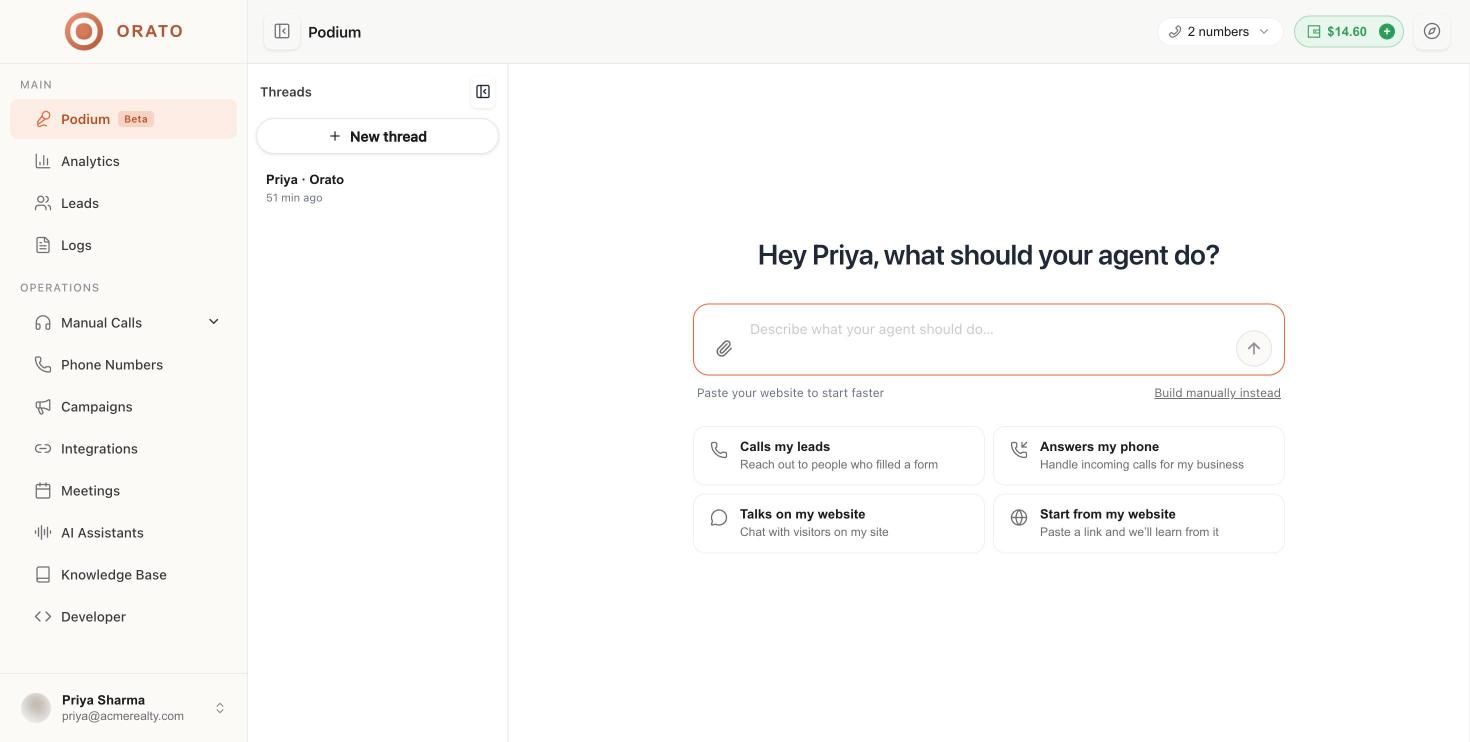
Start a new agent
You can begin in three ways:Describe it
Type what the agent should do in the message box, for example
Call people who filled our property enquiry form and book a site visit, then press Enter.Pick a starter
Click one of the four starter cards under the message box.
Paste your website
Paste your site URL so Podium can read it and pick out facts about your business.
Starter cards
Use the paperclip icon in the message box to attach a file, such as a brochure or price list, so Podium can use it as source material.
The guided conversation
After your first message, Podium asks one question at a time. Most questions have quick-reply buttons, and you can always type your own answer or click Skip.1
Confirm the goal
Podium restates what the agent will do and sets the agent Type (for example Calls people) and Goal (for example Book a visit or meeting).
2
Share your website
Paste your website so Podium can learn about your business. A progress card shows each stage:
- Opened your site
- Found the most useful pages (up to about 14)
- Reading pages
- Picking out facts about your business
3
Confirm your business name
Podium suggests a business name (from your workspace or website). Click Yes, or click No and type the correct name.
4
Choose languages
Select every language the agent should speak with customers: English, Hindi, Bangla, Marathi, Tamil, Telugu, or More languages. Click Continue when done.
5
Pick a voice
Podium shows a short list of voices that suit your languages, each with gender and accent (for example female · Indian). The best match is tagged Recommended. Click the play button to hear a voice, then Choose. Click See all voices for the full list.
6
Name the agent
Choose the name the agent introduces itself with on calls, such as Priya, Ananya, or Meera, or click Other name to type your own.
7
Decide on human transfer
Answer whether the agent should transfer the call to a person when needed. If you say Yes, provide the number to transfer to. You can also add or change it later under Advanced → Transfer to Human.
8
Build the agent
When Podium has everything it needs, it shows a ready card named after your agent, for example Priya is ready. Click the build button (for example Build Priya) to create the assistant.
The “Your agent” panel
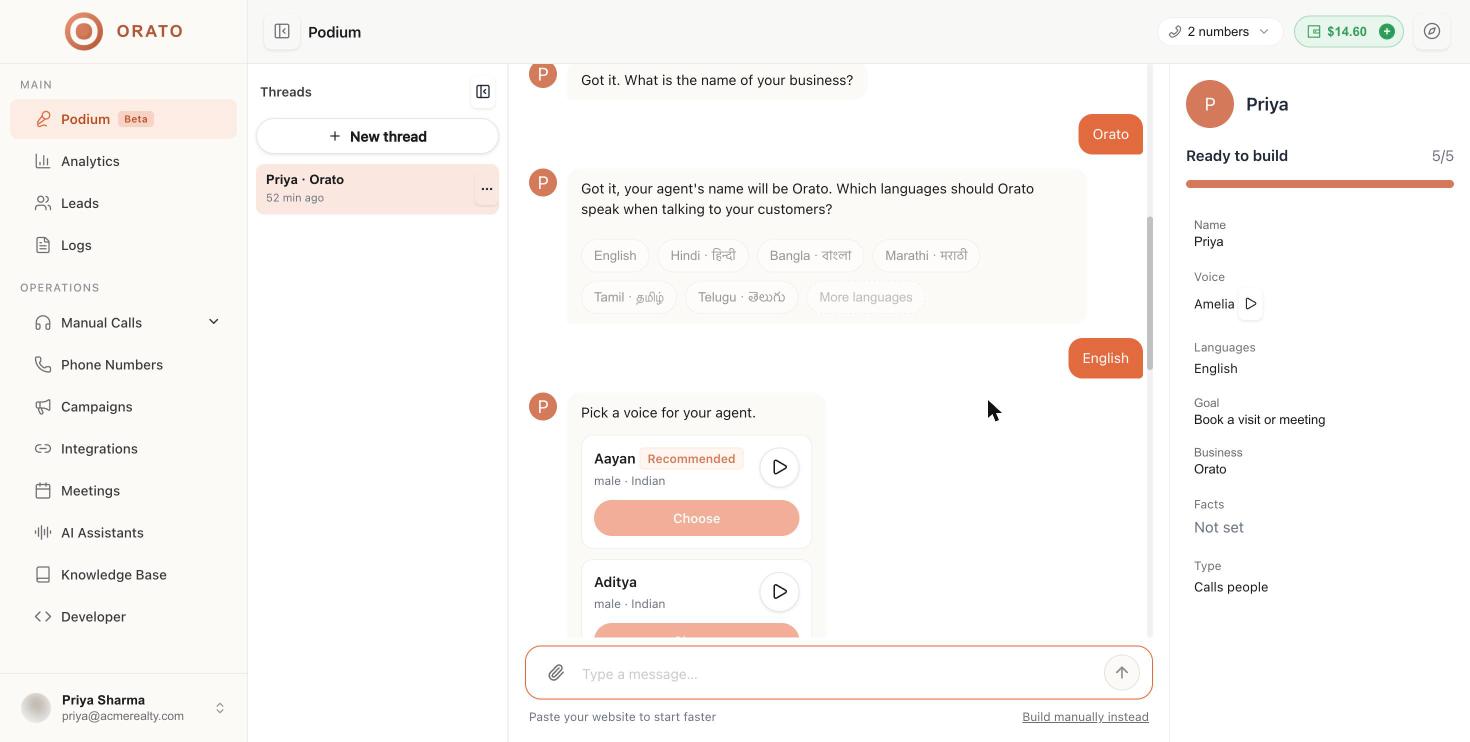
Anything still shows Not set until you answer the matching question.
Threads
Every Podium conversation is saved as a thread. Click the panel icon at the top left of Podium to show the Threads list.- Click New thread to start another agent from scratch.
- Click a thread to pick up where you left off. Threads are named after the agent and business, for example Priya · Orato.
- Use the … menu on a thread to Delete it.
After Podium builds your agent
The new assistant appears in AI Assistants with its prompt, voice, languages, and settings filled in. From there:Test it
Use Test agent to talk or chat with it in your browser.
Fine-tune it
Edit the prompt, add variables, or change the AI model.
Give it a number
Set an outbound caller ID or connect an inbound number.
Launch a campaign
Call a lead list with your new agent.